Build 0.4.9 Changelog

Fantasy Map, Onboarding Aide, Notifications Redesign, Community Forums, and Fixes

5 New 11 Changed 5 Fixed 1 Notice

Today's release adds the new Fantasy map to the Fantasy 1 test realm, tightens site placement boundaries, and revamps the full onboarding process: the original screen-dimming tutorial is replaced by an advisor who coaches you. Alongside it, the Notifications panel has been updated to be a closer companion to Live Alerts, the new community forums are live, and a few Ion Cannon bugs are fixed.

Fantasy map

2 changes
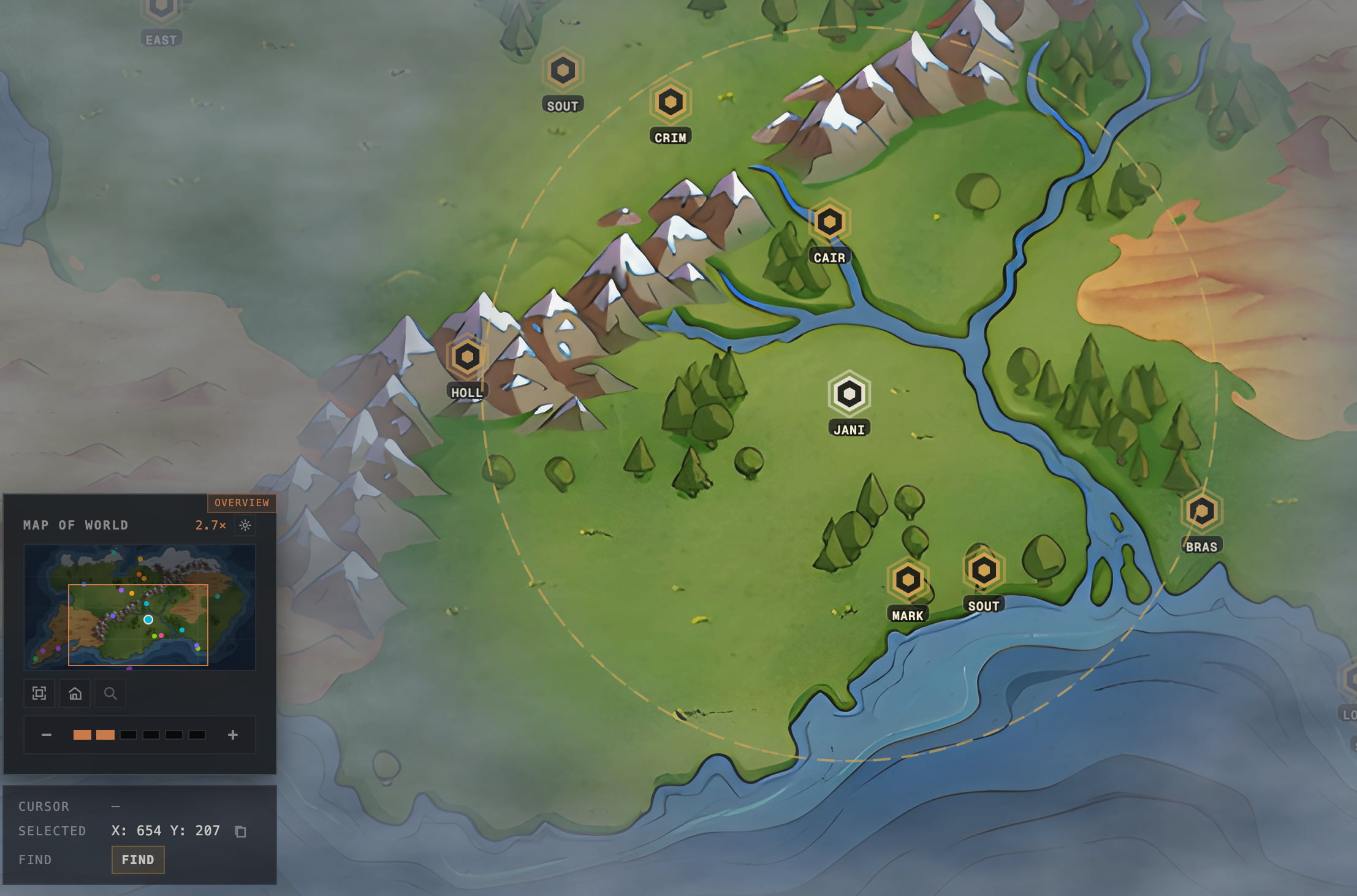
The new hand-drawn RealmConquest Fantasy map art shown on the Fantasy 1 test realm.
The new Fantasy map art as seen on the Fantasy 1 test realm.
#
The new Fantasy map is available to review on the test realm called Fantasy 1. This is the first piece of art created specifically for RealmConquest. #
The Fantasy map is much smaller than the Earth map. #

Onboarding & advisor

5 changes
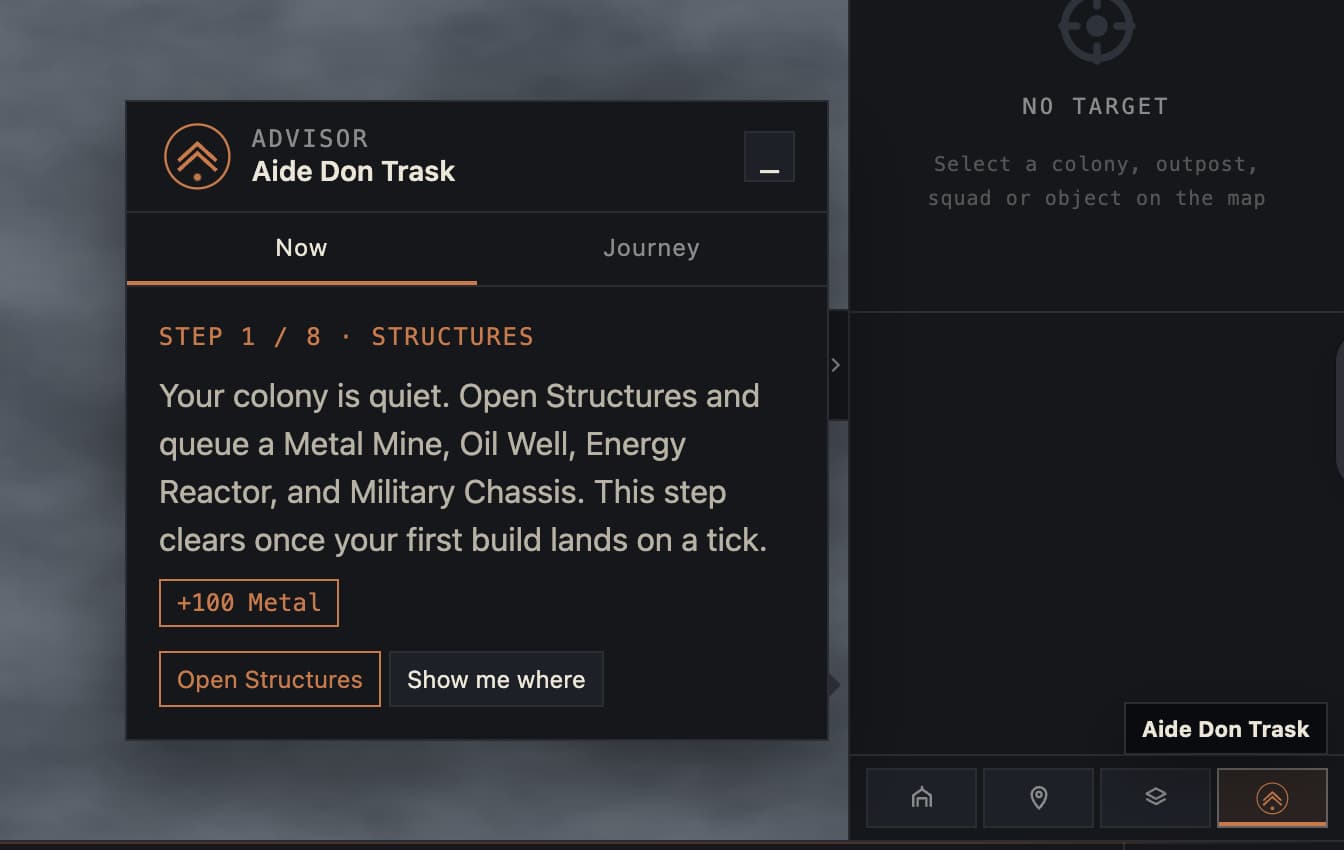
RealmConquest Advisor panel showing guided steps in an onboarding tutorial.
The new rail-anchored advisor replaces the old full-screen tutorial spotlight.
#
The onboarding tutorial has been rebuilt around a single characterful aide, Don Trask. The old full-screen spotlight overlay that dimmed the map is gone; guidance is now non-blocking. #
A new advisor lives in the command rail. It stays quiet when idle, shows a soft gold badge when there is new advice, and pulses red for urgent threats. On your first join a realm it opens once to say hello, then collapses to the rail. #
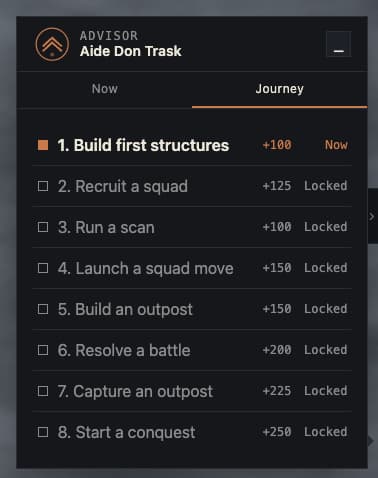
It has two views: Now shows the current step with its reward, a single command action, and a "Show me where" pointer; Journey shows all onboarding steps as a tracker. #
RealmConquest Advisor panel showing guided steps in an onboarding tutorial.
Journey view
#
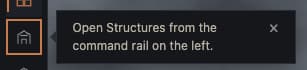
The old dimmed, guided onboarding system was replaced with this lightweight pointer that aims a small callout at the HUD element it is talking about. Press Escape or click away to dismiss it. #
RealmConquest tutorial guide pointer
Pointer shows you where to go.
#
Motion is restrained and fully respects reduced-motion: pulses and cross-fades are disabled when your system prefers reduced motion. #

Intel & notifications

5 changes
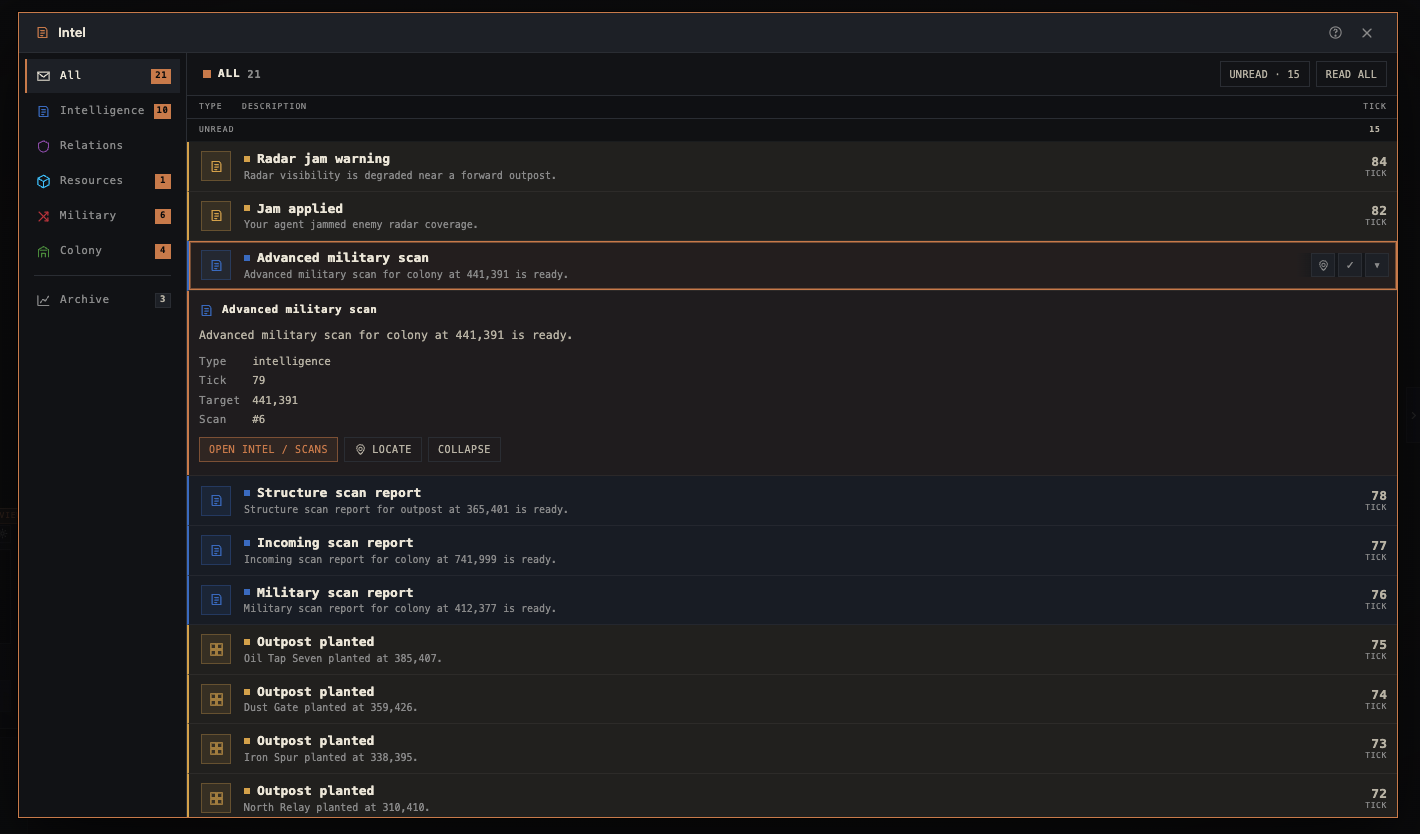
The RealmConquest Intel notifications panel showing category filters and an expanded scan notification.
The redesigned Intel notifications panel with category filters, unread state, and expanded notification actions.
#
The Intel modal's existing Notifications panel has been redesigned as a companion to Live Alerts. Urgent incoming threats still live in the alert drawer; the Intel panel now carries the longer-lived notification record with matching categories, colours, unread state, and actions. #
Notifications now filter from one left rail: All, Intelligence, Relations, Resources, Military, Colony, plus a separated Archive destination. This replaces the old split navigation where section tabs and category filters competed for space. #
The category treatment now lines up with the live alert language: each category keeps its own type colour, while the active view is marked in gold. #
The Archive is now a focused browsing view. The unread-only filter and Read all control are hidden there, and the header shows the active view and its count instead of controls that do not apply. #
Cleaned up the notifications layout so the existing panel reads as one integrated alerts history instead of stacking a separate section nav beside the category filter. #

Battle reports

1 change
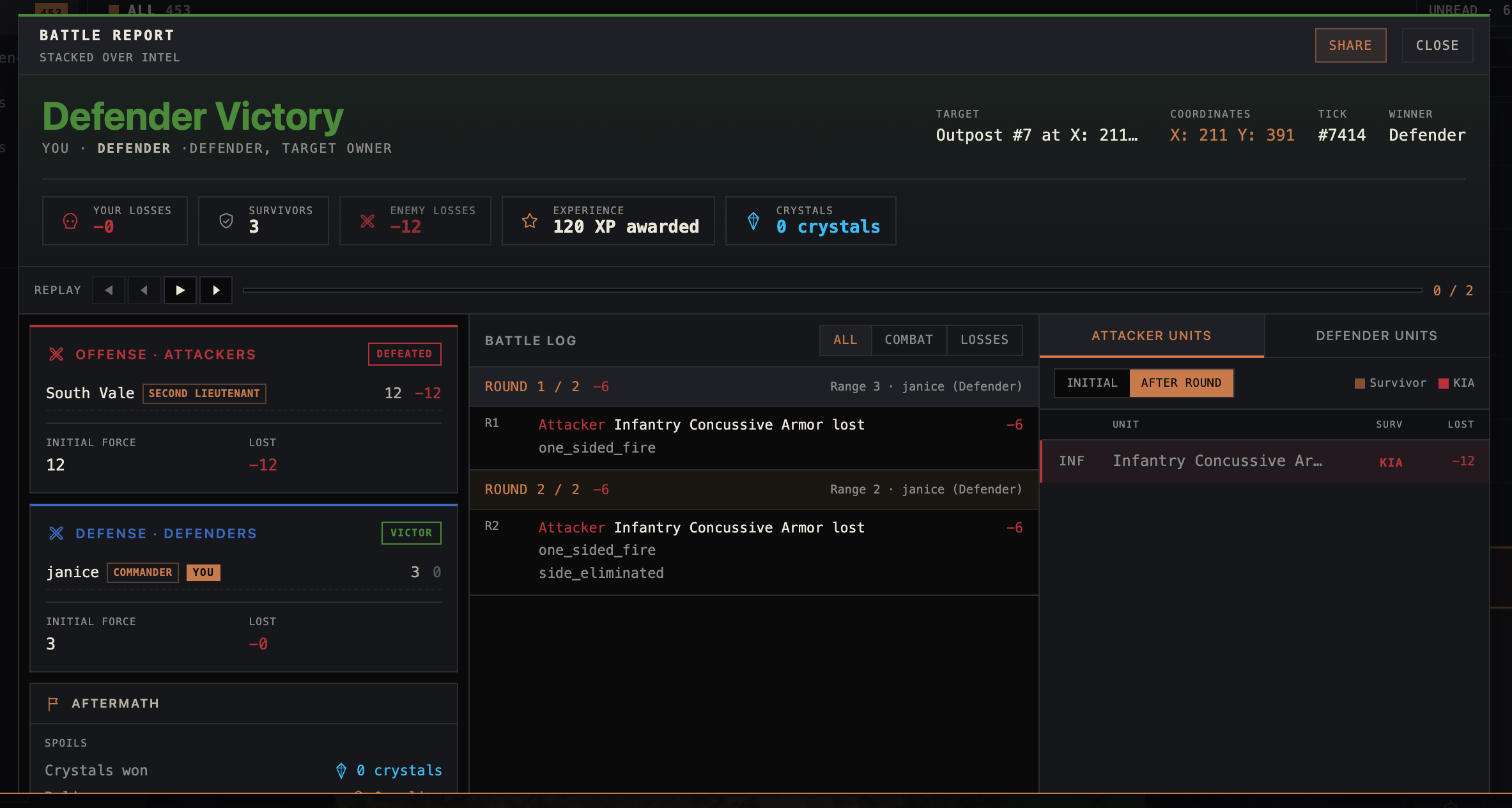
The Battle Report system has been redesigned with a clearer battle summary, combat flow, and result breakdown. View an example battle report. #
RealmConquest redesigned battle report showing the battle summary, combat flow, and result breakdown.
The redesigned battle report, with a clearer summary, combat flow, and result breakdown.
#

Player HUD

1 change
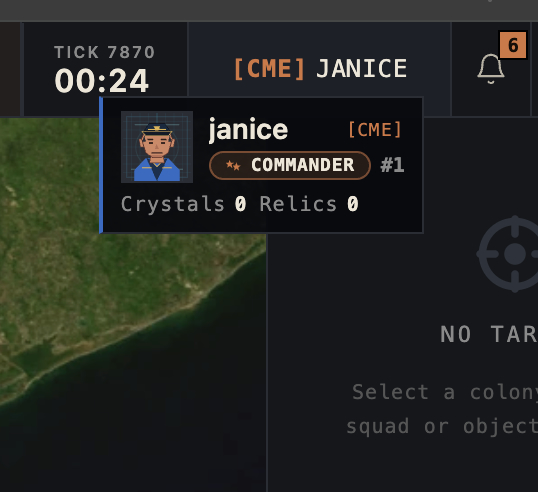
Hover your commander name in the top bar for a quick at-a-glance card: your avatar, rank badge and ladder position, alliance, and your crystal and relic counts, without opening your full profile. Clicking the name still opens it. #
RealmConquest top-bar commander hover card showing avatar, rank badge, ladder position, alliance, and crystal and relic counts.
The top-bar commander hover card with avatar, rank badge, alliance, and crystal and relic counts.
#

Community

1 change
The new Discourse Community forums are live at /community. They are still being fully implemented and organized. Your RealmConquest login carries over to the forum with no separate login. #

Strategic weapons

3 changes
Fixed an Ion Cannon target coverage gap on relics and garrisons: hostile units stationed there can now be struck the same way hostile units stationed on a colony or outpost can. #
The Ion Cannon can no longer be aimed at wreckage. #
The Ion Cannon button no longer shows up when you select your own moving squads. #

Conquest

1 change
When another commander conquers one of your colonies, they're now automatically marked as a personal enemy (red) on your map and Players board. #

Map & UI

2 changes
Coordinate displays are now standardized as X: 733 Y: 1066. #
Map placement boundaries were tightened so colonies and normal outposts leave more space between them. #

Changelog

1 change
Patch notes now live in the standalone Changelog section instead of the devlog, using a new layout. #

RealmConquest is a free-to-play, turn-based browser strategy MMO in the lineage of the classic persistent strategy games. It is an independent project, not affiliated with, endorsed by, or sponsored by any third-party game or its publisher. Trademarks are the property of their respective owners.

Follow the build

Play a Free-to-Play Turn-Based Strategy MMO

RealmConquest is in open beta and free to play in your browser. Create an account and join the next realm.

Create free account